The Home Office's Register of licensed sponsors: workers is the only UK sponsor licence list that matters. Search the employer's exact legal name, confirm it sits on the "Skilled Worker" route with an "A" rating, and treat anything else, including any third-party directory, as a starting point rather than proof. For bulk checks, download the official CSV rather than relying on a screenshot or a recruiter's word.
TL;DR:
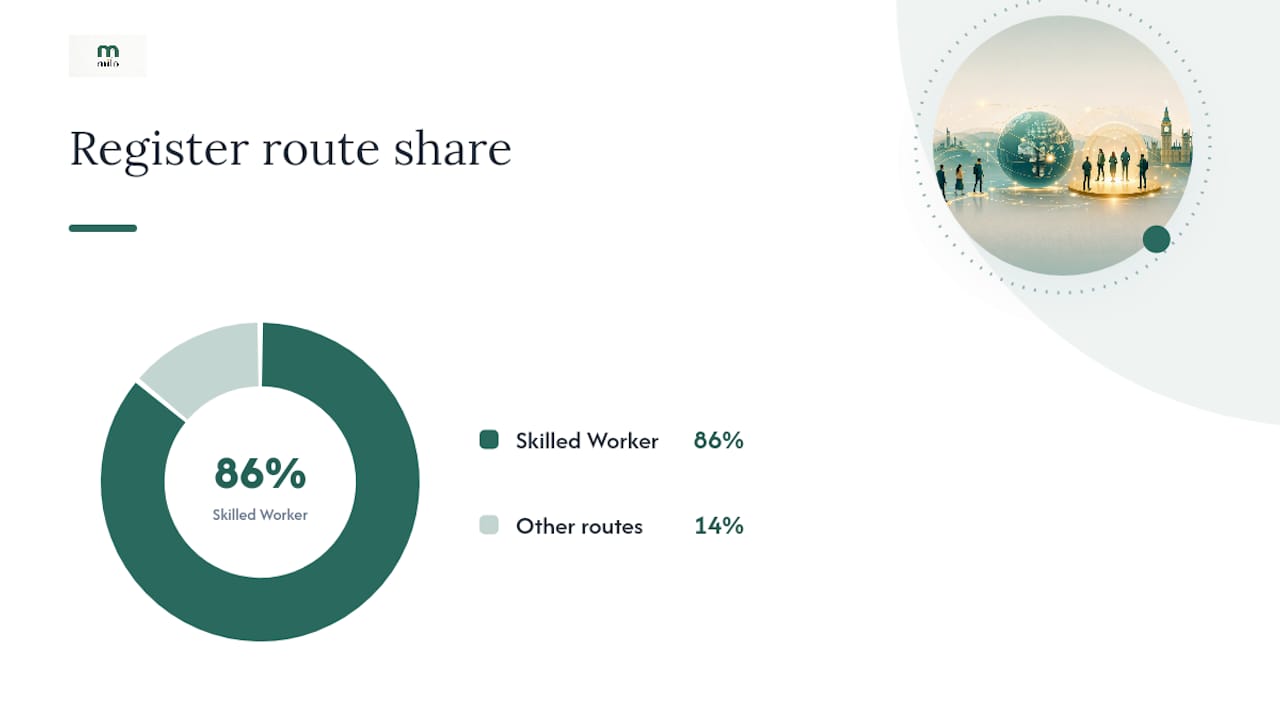
- The official UK sponsor register lists over 127,500 licensed organizations as of September 2026, with about 86% licensed for the Skilled Worker route.
- Always verify the employer’s exact legal name and confirm they are licensed for Skilled Worker with an "A" rating before applying for a visa.
- Employers with a "B" rating are under corrective action, so offers from them carry a higher risk of sponsorship suspension.
- Filtering the CSV file by location, route, and rating helps target suitable employers quickly and avoid wasted efforts.
- Never pay an employer for a Certificate of Sponsorship, and report any red flags like unusual email addresses or pressure to pay during the recruitment process.
Table of Contents
- Where to find the official register and how the CSV works
- How to verify a specific employer: step-by-step checks
- How to use the register effectively when job hunting
- Common scams, red flags and safety steps
- What a sponsorship platform actually saves you
- Milo: pre-screened sponsorship, without the manual spreadsheet work
- Sources
- FAQ
Where to find the official register and how the CSV works
Everything starts on GOV.UK, not on a jobs forum or a recruiter's PDF. The Home Office publishes the Register of licensed sponsors: workers as both a searchable web page and a downloadable spreadsheet, and that spreadsheet is what you want if you're checking more than one or two employers.
The CSV file itself is large. Recent previews of the file run to roughly 10.4 to 10.5 MB, with the online preview showing the first 1,000 rows across 50 columns. You won't need most of those columns. The ones that matter for a jobseeker are:
- Organisation Name: the employer's registered legal name, not always their trading or brand name.
- Town/City: useful for narrowing a search to a region.
- Type & Rating: shows whether the sponsor holds an A or B rating.
- Route: confirms whether they're licensed for Skilled Worker, Temporary Worker, or another category.
As of September 2026, the register lists over 127,500 licensed organisations, with around 86% of those covering the Skilled Worker route specifically.
The register is refreshed regularly, and separate CSV previews published across July and September 2026 confirm this isn't a static document. Always check the publication date on the file you're using. Third-party job boards and "sponsor list" sites that re-syndicate this data can lag by days or weeks, and a lag matters when a licence gets suspended overnight.
One practical snag catches almost everyone at least once: employers rarely list themselves under their marketing name. A company advertising as "BrightPath Recruitment" might appear on the register only as "Brightpath Solutions Ltd." Search variations of the legal name before assuming a company isn't listed.
How to verify a specific employer: step-by-step checks
Finding a name on the list isn't the same as confirming it's a safe, active, current sponsor. Run through these steps in order:
- Search the exact legal name. Use the company's registered name, not the brand you saw on a job advert. If you're unsure of the legal name, a quick Companies House search usually clears it up.
- Check the Route column. If you need a Skilled Worker visa, the entry must show "Skilled Worker" against that employer. Some organisations are only licensed for Temporary Worker categories such as charity workers or religious workers, which won't help most job applicants.
- Check the Type & Rating column. An "A" rating means the sponsor can issue Certificates of Sponsorship immediately. A "B" rating means they're under a corrective action plan and temporarily restricted from issuing new CoS.
- Note the register's publication date. Licences get revoked and suspended between updates, so a listing from three weeks ago isn't the same guarantee as one from this morning.
If you find an employer with a B rating, don't panic, but don't accept an offer that depends on them either. A B-rated sponsor is working through Home Office conditions and may not be able to sponsor new hires until that's resolved.
Pro Tip: Keep a simple spreadsheet of every employer you're applying to, with columns for legal name, route, rating, and the date you checked. It takes five minutes and stops you relying on memory when you're juggling twenty applications.
How to use the register effectively when job hunting
Treat the sponsor register as a filtering tool, not just a verification checklist. Once you've downloaded the CSV, spreadsheet software like Microsoft Excel or Google Sheets lets you filter by town, by route, or by organisation name in seconds.
A few ways this pays off in a real job search:
- Filter by location first. If you're only willing to relocate to Manchester or Edinburgh, filtering the Town/City column immediately cuts a 127,500 row file down to something manageable.
- Build a shortlist before you apply. Rather than checking each employer one at a time as you find job adverts, compile a list of twenty or thirty target companies and cross-check them against the CSV in one sitting.
- Match the vacancy to the route, not just the company. A company holding a Skilled Worker licence doesn't guarantee every role they advertise qualifies. Salary thresholds and the specific occupation code both affect whether a role can actually be sponsored.
- Watch for group structures. Large employers sometimes hold their sponsor licence under a parent company or head office name that differs from the subsidiary you're applying to. A regional retail chain, for instance, might sponsor centrally under a holding company name you'd never guess from the shop front.
This is where most manual searches fall down. A candidate finds a company on the register, assumes every vacancy from that employer is sponsorable, and only discovers weeks into the process that the specific role or salary doesn't meet the requirements. Cross-referencing the vacancy details against the sponsor's licensed route earlier saves that wasted effort.
Common scams, red flags and safety steps
Sponsorship fraud is a real problem, not a rare edge case, and the Home Office is direct about it: you must never pay an employer for a Certificate of Sponsorship. Any request for money in exchange for sponsorship is a criminal red flag, full stop.
Watch for these warning signs:
- A request for payment, whether described as a "processing fee," "sponsorship fee," or anything similar.
- Contact from a personal email address, or a domain that doesn't match the company's real website.
- Vague or shifting details about the role, salary, or start date when you ask direct questions.
- Pressure to make a quick decision or send documents before you've verified the company independently.
Before accepting any offer that depends on sponsorship, check the employer against the official register, search their company details on Companies House, and ask for a written job offer on company letterhead. Legitimate sponsors won't hesitate to provide this. If something feels off, report it through GOV.UK's fraud reporting channels rather than proceeding on trust.
What a sponsorship platform actually saves you
Manually checking dozens of listings against a 127,500 row spreadsheet is tedious, and tedium is exactly where mistakes creep in. A missed legal name variation, an outdated CSV download, a role that looked sponsorable but wasn't. That's the gap a tool like Milo is built to close.
Milo pre-screens job listings against the licensed sponsor register before they ever reach a candidate, cutting out the false leads that eat up hours of manual searching. Pairing that with a CV builder tailored to the specific role and a tracker that shows which applications are actually converting means less time verifying and more time applying to roles that genuinely qualify.
None of this replaces checking the register yourself. It just removes the repetitive part.
— Sumit
Milo: pre-screened sponsorship, without the manual spreadsheet work
Milo is built for one specific frustration: spending hours checking whether a job you're excited about actually comes with sponsorship, only to find it doesn't. Instead of cross-referencing every vacancy against the register yourself, Milo's sponsorship match service checks listings against the official sponsor register before they reach you.
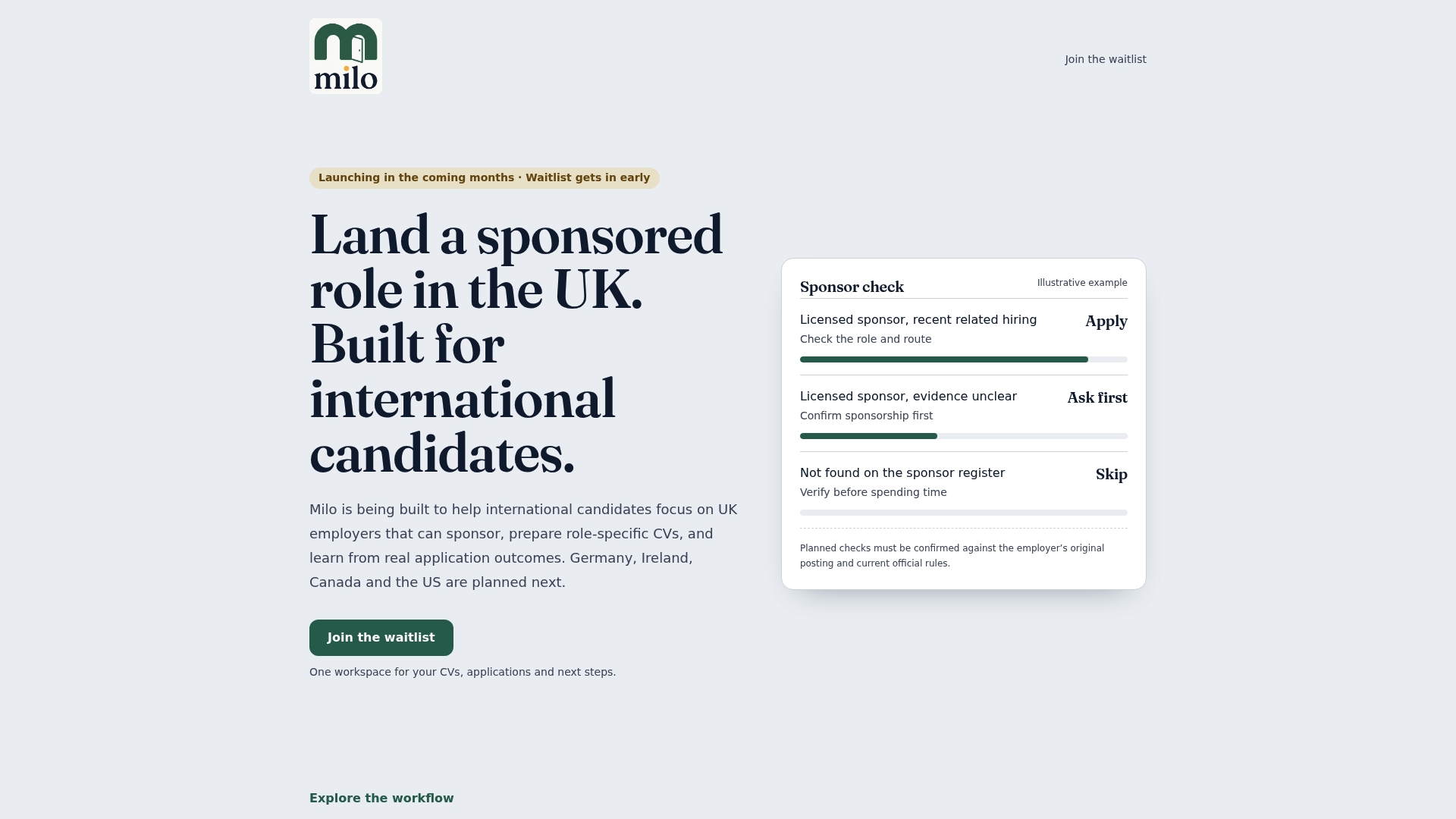
Alongside that, the platform gives you a CV builder shaped around the specific role you're applying for, in UK format, plus a tracker that shows which applications are getting replies and which aren't worth repeating. Access is available for a limited period, built for international jobseekers who want a structured, transparent way to find sponsorable roles rather than sifting through generic job boards. Using Milo is entirely optional. You can always check the GOV.UK register yourself for free. But if you'd rather skip the manual filtering, Milo's founding access pre-order is where to start.
FAQ
Where can I find a list of licensed sponsors in the UK?
The only reliable list is the Home Office's Register of licensed sponsors: workers on GOV.UK, searchable online or downloadable as a CSV. Third-party sites that claim to mirror this data can lag behind the official version, so always confirm against GOV.UK directly.
Is there a list of revoked sponsor licences in the UK?
The Home Office doesn't publish a separate "revoked" list. Instead, revoked or suspended sponsors simply disappear from the current register, which is why checking the publication date and re-searching an employer close to your application date matters.
How do I check if a UK sponsor is licensed?
Search the employer's exact legal name on the official register and confirm both the route (Skilled Worker, for most work visas) and the rating (A or B). A listing alone isn't enough. The route and rating both need to match what you need.
Which jobs were removed from the Skilled Worker visa route?
The Skilled Worker route itself replaced the old Tier 2 (General) route in December 2020, and eligible occupations are tied to specific salary thresholds and occupation codes rather than a fixed job list. If you've seen references to "Tier 2," that terminology is outdated. Always search current guidance under "Skilled Worker" instead.
Can Milo help me check if a company sponsors visas?
Milo's sponsorship match service pre-screens job listings against the official licensed sponsor register, so you spend less time manually verifying employers one by one. It's an optional tool, and checking the GOV.UK register yourself remains free at any time.